This page is the bartender-dashboard overview for Untabbed, a B2B web app used by bar venues to accept tabs opened from the Untabbed consumer mobile app. It walks through the seven-step nightly flow: setting up the menu by category, accepting incoming orders that arrive in a queue, marking drinks as preparing then ready, handing off finished drinks via a six-digit pickup code, reviewing every closed and canceled tab in the History page, watching net revenue, tabs closed, average tab, tips collected and Stripe fees in Earnings, and analyzing tabs opened, revenue, and average tab hourly, daily, weekly, monthly, or for the lifetime of the venue in Analytics.

The dashboard runs on any laptop or iPad behind the bar — no extra hardware, no new POS to learn, no app store update. Bar operators can apply for their venue at support@untabbedapp.com.

Also known as: Untabbed for Bars, Untabbed venue dashboard, the Untabbed bartender app, Untabbed Business.

For Bars · Bartender Dashboard

Behind the bar. A dashboard your staff already understand.

Every Untabbed venue gets a focused web dashboard — no extra hardware, no new POS to learn. Bartenders open it on the bar laptop or an iPad and run their entire night from a single screen. Here is the full flow, end to end.

How the Untabbed bartender dashboard works — seven-step flow

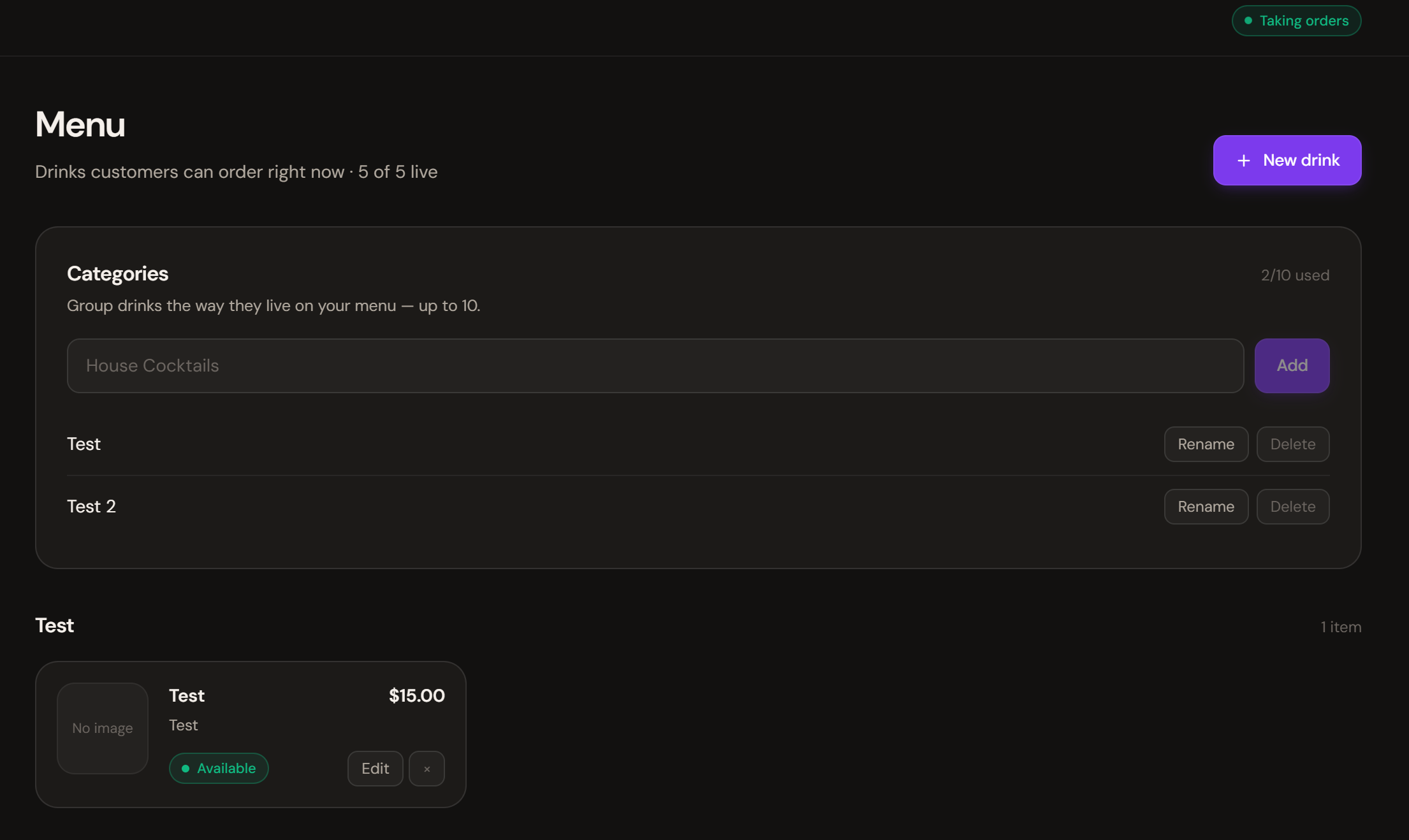
Untabbed bartender dashboard — Menu management with categories and live drink list
Step 01 · Setup

Build the menu in minutes.

Group drinks into categories like House Cocktails, Drafts, or Wine — up to ten of them. Toggle each drink available or sold out the moment a keg blows.

Customers see the new menu instantly. No app store update. No reprinting paper menus.

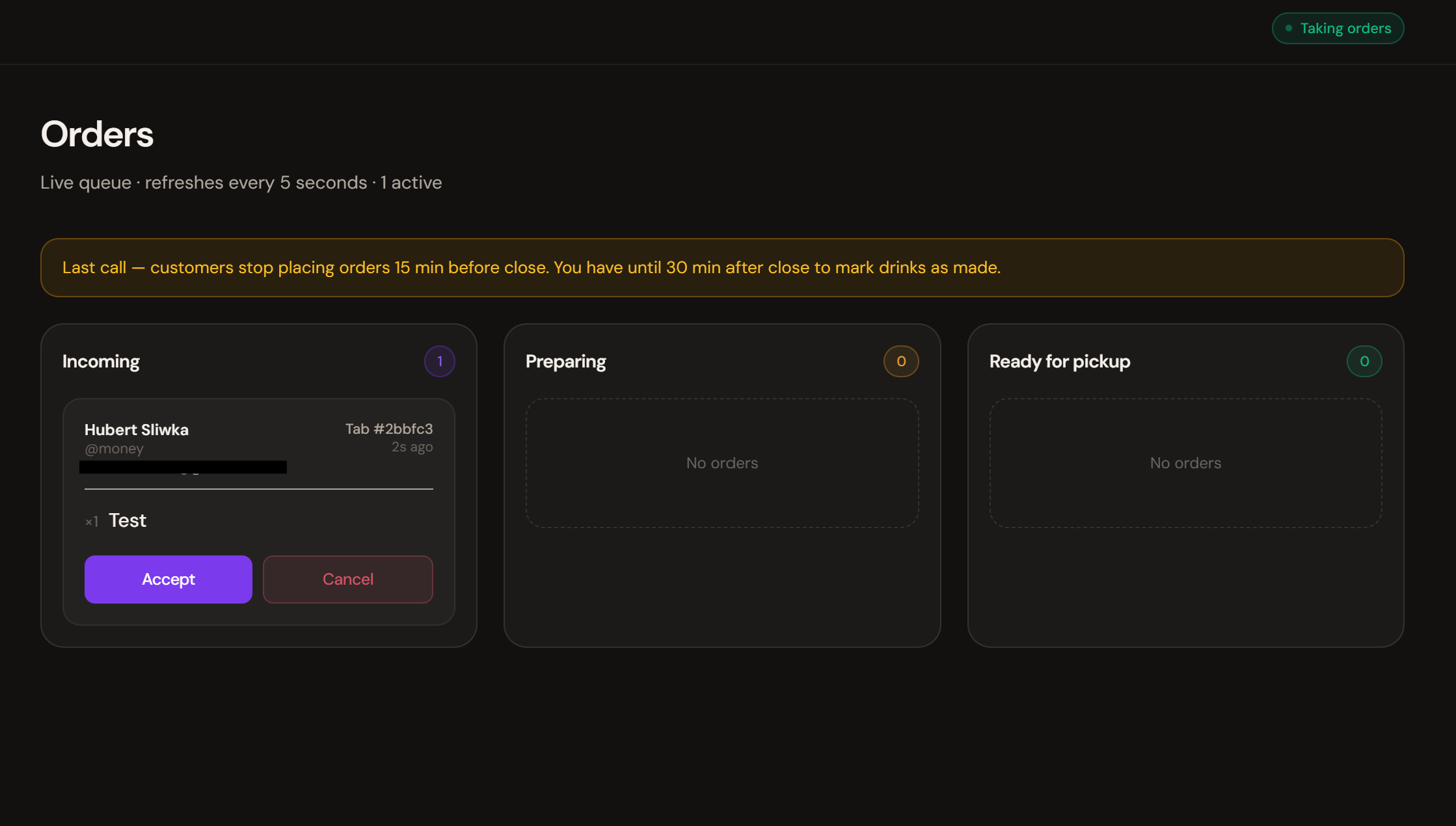
Untabbed bartender dashboard — Incoming order with Accept and Cancel actions
Step 02 · Live

Orders land in the queue, not in your face.

When a customer sends a round, it appears in Incoming with the customer name, tab number, and exact items. Bartenders accept with a tap — or cancel if the bar is slammed.

The page refreshes itself every five seconds. No manual reload, no missed orders.

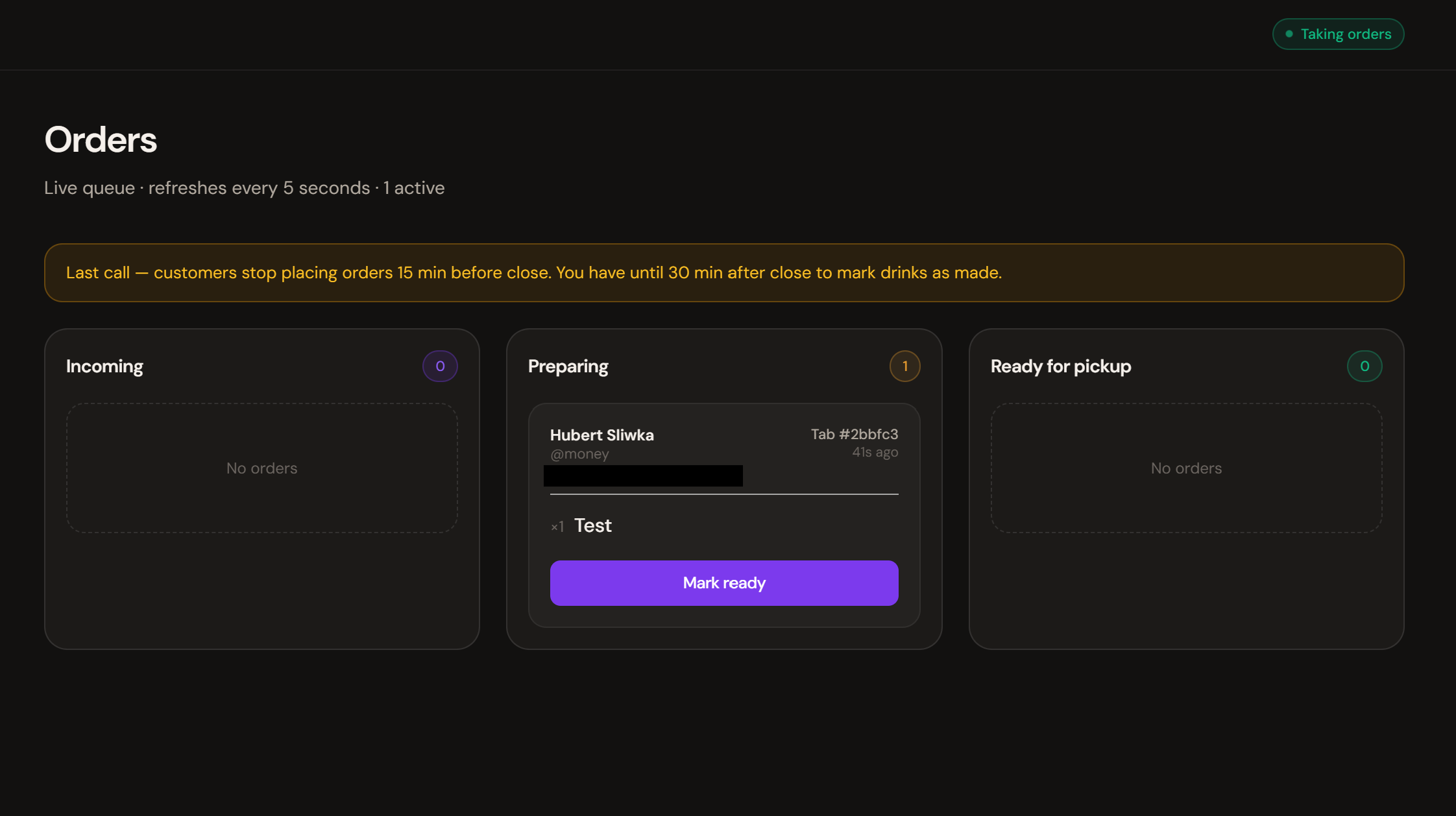
Untabbed bartender dashboard — Order in Preparing column with Mark ready button
Step 03 · Make

Track every drink as it's poured.

Accepted orders move to Preparing. The bartender pours, hits Mark ready, and the customer's phone gets a quiet ping with their pickup code.

A "last call" banner appears 15 minutes before close so bartenders never get stuck mid-pour at lights-up.

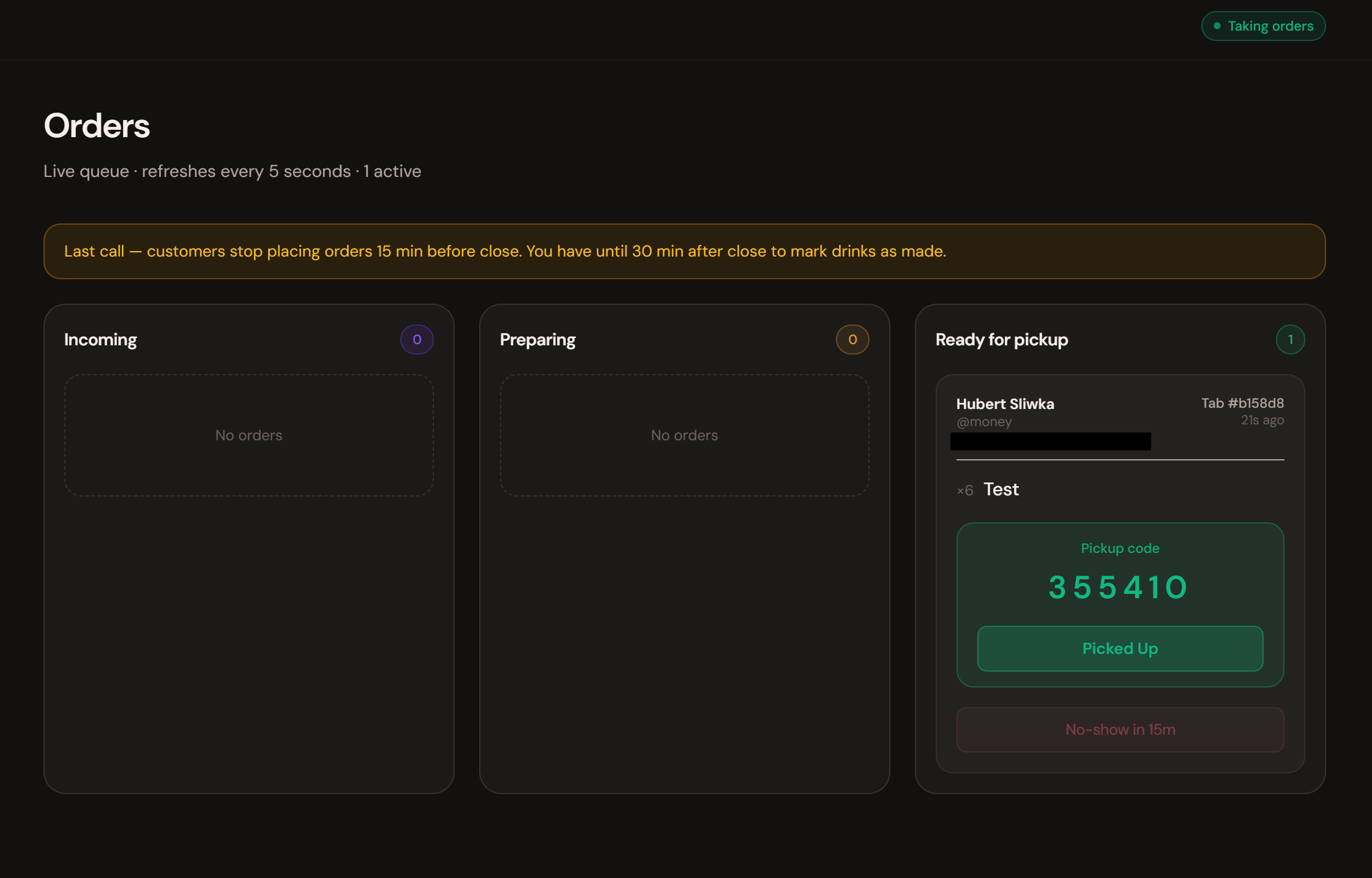
Untabbed bartender dashboard — Ready for pickup column with 6-digit pickup code
Step 04 · Hand-off

Pickup codes — no more "is this mine?"

Each finished drink shows a six-digit pickup code. The customer reads it off their phone, the bartender confirms Picked Up, and the round closes cleanly.

If the customer ghosts the bar, a 15-minute No-show timer protects the venue from lost inventory.

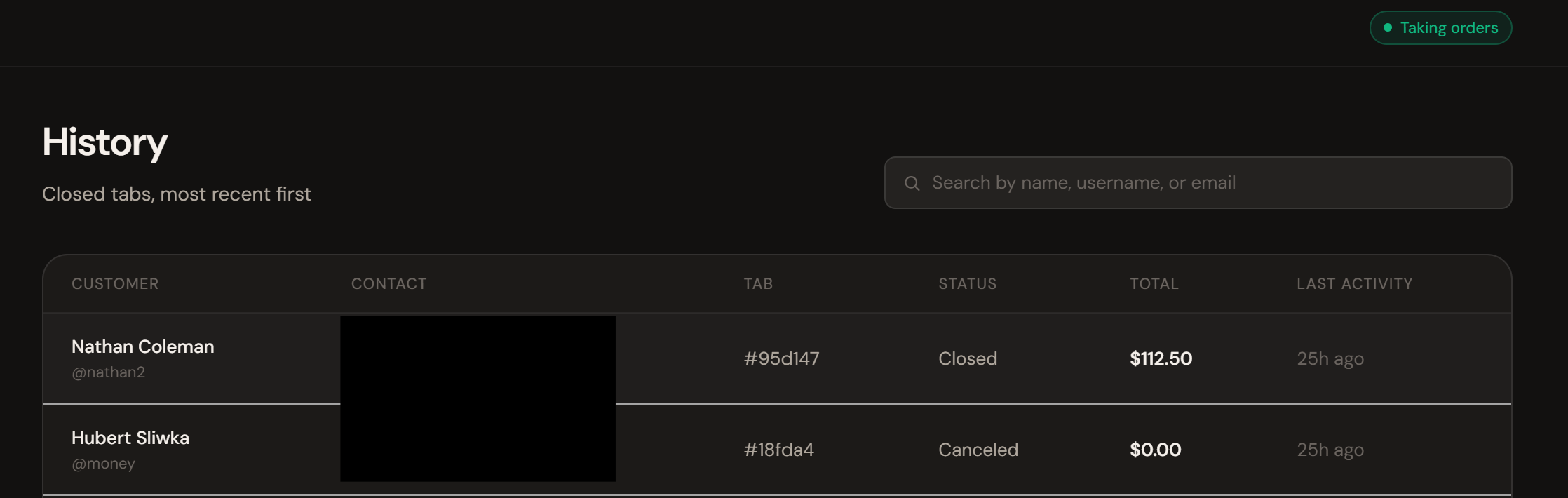
Untabbed bartender dashboard — History of closed tabs with customer details
Step 05 · Records

Every closed tab, exactly as it happened.

The History page lists every closed and canceled tab with the customer's name, contact, total, and last activity. Search by name, username, or email when a guest comes back the next week.

No more squinting at receipts in the morning to figure out who Patron B-12 was.

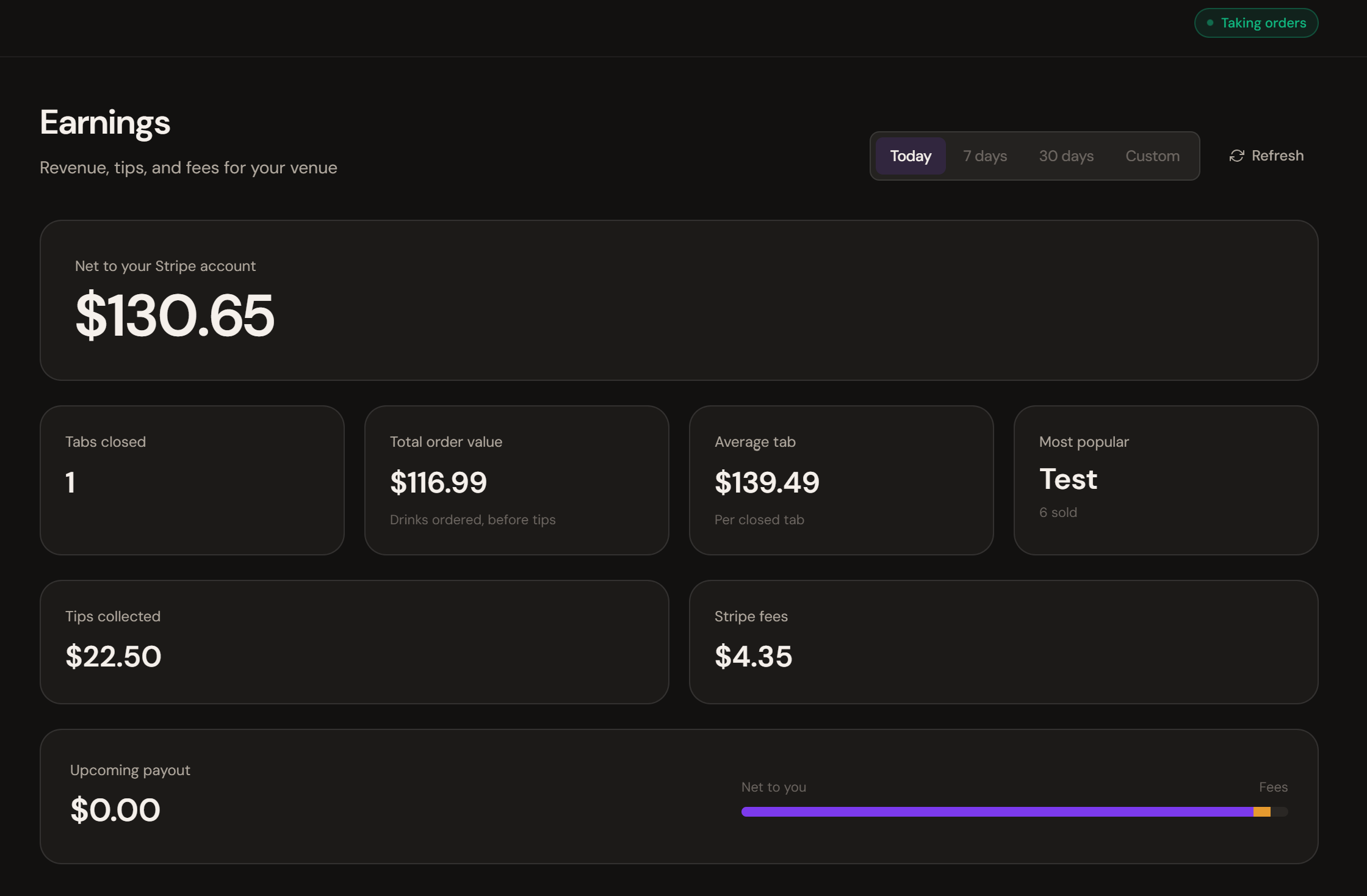
Untabbed bartender dashboard — Earnings dashboard showing net to Stripe, tabs closed, tips, and fees
Step 06 · Money

Earnings, tips, and fees in one place.

See exactly what hits your Stripe account: net revenue, tabs closed, average tab, your most popular drink, tips collected, and Stripe's cut. Filter by today, the past week, the past 30 days, or a custom range.

Your upcoming payout shows the split between your take and the fees — no spreadsheet gymnastics required.

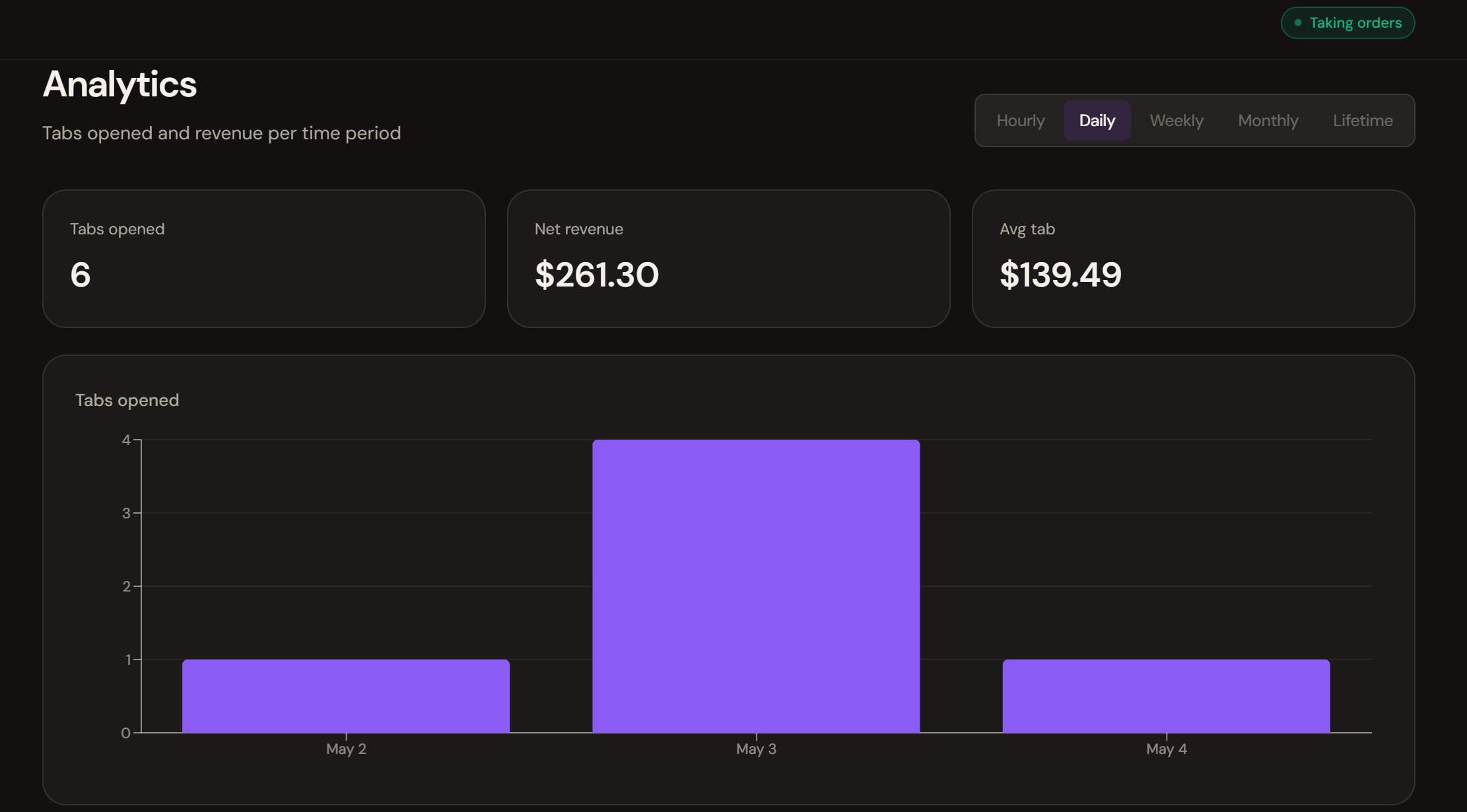
Untabbed bartender dashboard — Analytics with daily tabs-opened bar chart and revenue summary
Step 07 · Insight

See your busy nights at a glance.

Tabs opened, net revenue, and average tab — broken down hourly, daily, weekly, monthly, or for the lifetime of the venue. Spot the trends that quietly shape your week.

Plan staffing around the data, not the gut. Order kegs based on what really moves.

Want Untabbed at your bar?

We're onboarding venues one at a time so every launch lands clean. If your bar is ready to ditch held cards and paper slips, drop us a line.